I still remember the night I sat at my desk surrounded by printed spreadsheets, half-finished pitch decks, and three different versions of a “business plan” that none of my advisors could agree on. I had been working on my startup idea for nearly four months, and every time I thought I had a clear picture of what I was building, a new question would unravel everything. Who exactly was my customer? How was I actually going to make money? What did I need to build first? I had no clean answers, just a lot of noise.
That is when a mentor of mine casually slid a single-page sheet across the table and said, “Stop writing a novel. Fill this out.” It was the Business Model Canvas. In that moment, I had no idea that one page was about to replace 40 pages of confusion.
I want to be clear about something from the start: I am not a business school professor. I am not a consultant who has helped Fortune 500 companies redesign their operations. I am someone who has actually used this framework, made mistakes with it, rebuilt it from scratch, and eventually learned to love it because it works. Everything I share in this article comes from that personal experience.
By the time you finish reading this, you will understand not just what the Business Model Canvas is, but how to use it the way I do practically, imperfectly, and effectively. I will also share the tools I personally tested, the templates I found most useful, and the mistakes that cost me weeks of wasted work.
What Is a Business Model Canvas?
Before I explain what it is, let me tell you what I thought it was and why I was wrong. When I first heard the term Business Model Canvas, I assumed it was a simplified version of a business plan. Something for people who were too lazy to write the “real thing.” I was wrong in the most useful way possible.
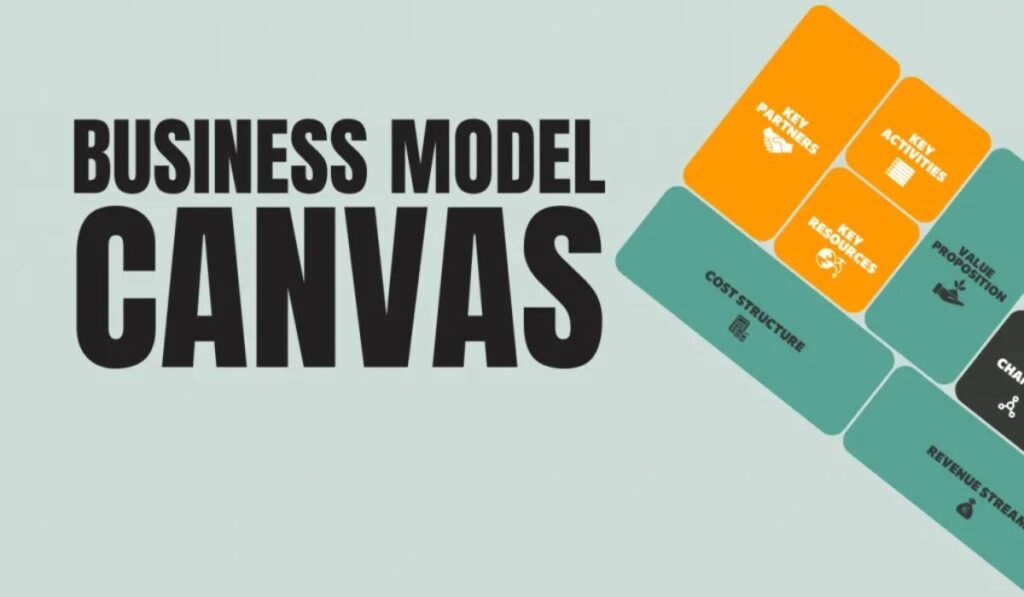
The Business Model Canvas is a one-page strategic management tool created by Alex Osterwalder and first introduced in his 2010 book Business Model Generation, co-authored with Yves Pigneur. But honestly, the origin story matters less to me than what it actually does in practice. What it does is force you to think about every critical dimension of your business on a single canvas simultaneously so you can see how everything connects.
The traditional business plan is a document. It is linear. You write section one, then section two, and by the time you reach section ten, you have forgotten how section one connects to section seven. The Business Model Canvas, on the other hand, is visual and spatial. Everything lives on one page, and that constraint is its superpower.
The moment I switched from writing a 40-page document to filling out a single canvas, I stopped confusing activity with clarity. Those are very different things.
Traditional Business Plan vs Business Model Canvas
| Criteria | Traditional Business Plan | Business Model Canvas |
| Length | 20–80 pages | 1 page |
| Time to complete | Weeks to months | Hours to days |
| Flexibility | Hard to revise | Easy to update anytime |
| Visual overview | Minimal | Fully visual |
| Best used for | Investor documentation | Strategic thinking & iteration |
| Collaboration | Difficult to co-create | Built for team workshops |
| Focus | Past assumptions written as fact | Current hypotheses to be tested |
The 9 Building Blocks How I Actually Use Each One
This is where most articles give you a textbook definition of each block. I am going to do something different. I am going to tell you what each block means in real language, how I personally approached filling it out, and where I went wrong the first time.
1. Customer Segments Who Is Actually Paying Me?
The first mistake I made was writing “everyone” in this box. My product was useful for small business owners, freelancers, and large enterprises. So I wrote all three. My mentor laughed, not unkindly, and said, “Pick one. Start there.” That advice alone saved me from building three products simultaneously and shipping nothing.
I eventually narrowed my Customer Segment to solo content creators with an audience between 5,000 and 50,000 followers who were trying to monetize but did not have a team. That specificity changed everything my messaging, my pricing, my channels. The more specific I got, the more real my business became.
2. Value Propositions Why Would They Choose Me?
This is the block that took me the longest to fill out correctly. I kept writing features “it is fast, it is affordable, it has a great interface.” My mentor kept pushing me: “So what? Why does that matter to them?” It was an uncomfortable conversation, but it was the right one.
My real value proposition turned out to be about time, not features. My customer was losing 8–10 hours a week doing something manually that my tool could do in 20 minutes. That was the actual value. Once I wrote that down, everything else my copy, my sales calls, my pricing snapped into place.
3. Channels How Do I Reach Them?
I made the classic mistake of confusing channels with marketing tactics. Channels are not your Instagram strategy. They are the paths through which your customer discovers, evaluates, purchases, and receives your product or service. I had to think about this much more structurally partnerships, app stores, direct outreach, content, referrals.
4. Customer Relationships How Do I Keep Them?
This block forced me to think about retention, not just acquisition. Do my customers need a dedicated account manager, or are they perfectly happy with self-service? For my segment, they wanted community a feeling of belonging, not hand-holding. That insight saved me from hiring a support team I did not need and instead investing in a community platform that they actually loved.
5. Revenue Streams How Does Money Come In?
I initially had one revenue stream: a monthly subscription. That was fine, but filling out this block forced me to think about whether there were natural upsells, one-time services, or licensing opportunities I was leaving on the table. There were. I added a done-for-you service tier that became my highest-margin offering within six months.
6. Key Resources What Do I Absolutely Need?
Not everything is critical. This block helped me separate what was genuinely essential my platform, my data, my small core team from what was “nice to have.” I wasted three months and a significant amount of money building features that were not Key Resources. Once I identified the three things that truly mattered, I stopped building noise.
7. Key Activities What Must I Do Every Day?
For me, Key Activities were product development, content creation, and community management. Understanding these clearly helped me set weekly priorities and stop getting distracted by tasks that felt productive but were not actually moving the needle.
8. Key Partnerships Who Makes My Life Easier?
I underestimated this block early on. I thought partnerships were for big companies. But once I started mapping them, I realized I had natural partners platforms whose audiences matched mine, tools my customers already used, and communities I could co-create value with. Two of my best early growth channels came from partnerships I identified in this exact box.
9. Cost Structure Where Does My Money Actually Go?
This is the block most early-stage founders fill out last and most vaguely. I did the same. But once I got serious, I mapped every fixed and variable cost against my revenue streams and realized that one of my activities was costing me far more than it was generating. I cut it. That decision alone improved my margins by 22%.
How I Fill Out My Business Model Canvas Step by Step
A lot of people ask me what order to follow when filling out the canvas. The honest answer is: not the numbered order. I have tried it multiple ways, and the approach that works best for me starts with the customer and works outward from there.
Here is the exact sequence I follow every time I work on a new business idea or revisit an existing one:
I start with Customer Segments because everything else in the canvas should flow from who I am serving. If I get this wrong, the rest is fiction. Once I have a clear, narrow, honest segment written down, I move to Value Propositions what does this specific person actually need from me?
From there, I work through Revenue Streams, because understanding how money flows forces me to be honest about whether this is actually a business or just an interesting project. Then I fill in Channels and Customer Relationships together, since those two are deeply connected in how I actually reach and retain people.
Only after those commercial and customer-facing blocks are solid do I move to the operational side: Key Resources, Key Activities, and Key Partnerships. I finish with Cost Structure, because by that point I have a clear enough picture of what the business requires to actually map costs honestly.
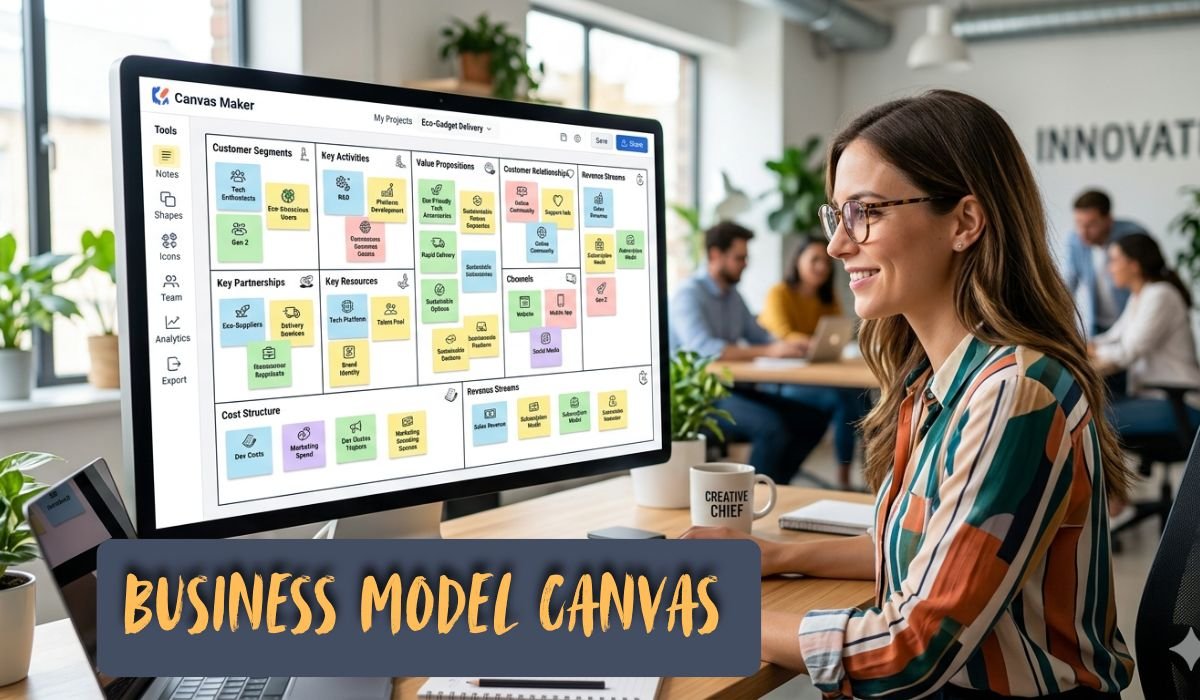
I do all of this first on physical sticky notes on a printed canvas. There is something about the tactile, removable nature of sticky notes that keeps me from being precious about my ideas. Nothing is permanent. Everything can be moved. Once I am happy with the physical version, I move it into a digital tool which brings me to the next section.
Tools I Tried: Finding the Right Business Model Canvas Maker
When I first moved my canvas from paper to digital, I tried everything I could find. I tested Miro, Canvanizer, Strategyzer, Notion templates, and even custom-built Google Slides versions. Each had its own strengths and frustrations, and after months of testing, I developed very clear opinions about which Business Model Canvas maker is actually worth your time.
Here is an honest breakdown of what I experienced with each tool:
Business Model Canvas Maker Tool Comparison
| Tool | Best For | Collaboration | Cost | My Rating |
| Strategyzer | Purists & teams | Excellent | Paid (free trial) | 4.5/5 |
| Miro | Visual thinkers & workshops | Excellent | Free & Paid tiers | 4.5/5 |
| Canvanizer | Quick solo drafts | Basic | Free | 3.5/5 |
| Notion Template | Existing Notion users | Good | Free (with Notion) | 3.8/5 |
| Lucidchart | Formal documentation | Good | Paid | 3.5/5 |
| Google Slides | Simplicity lovers | Basic | Free | 3.0/5 |
After trying all of them, I settled on Miro for collaborative sessions and workshops, and Strategyzer when I want a cleaner, more structured output to share with investors or advisors. For solo brainstorming sessions, I still use a printed template and sticky notes. Nothing beats the physical act of placing and rearranging ideas when I am in early thinking mode.
If you are just starting out and want to try a Business Model Canvas maker without spending money, Miro’s free tier is more than enough for individual use. It lets you save, share, and iterate without paying a cent until your team grows.
The Business Model Canvas Template I Swear By
Over the years, I have used probably a dozen different Business Model Canvas template variations. Some were beautifully designed but practically useless too much decoration, not enough space to write. Others were so sparse they felt like a blank grid with labels.
What I look for in a good Business Model Canvas template now comes down to three things. First, the block sizes should be proportional to how much thinking each one requires. Customer Segments and Value Propositions should be generous in size because those are where most of the important thinking happens. Cost Structure and Revenue Streams need enough room for specifics, not just category headings.
Second, the template should have guiding questions printed lightly inside each block not as a crutch, but as a prompt for when I get stuck. Something like “What are you offering?” inside the Value Propositions block is far more useful than just the label.
Third, I need the template to be editable. A beautiful PDF I cannot write on is useless to me. I want either a physical printed sheet I can write and stick notes on, or a digital version where I can type, move, resize, and colour-code my entries.
The template I currently use most is a custom Miro board I have built up over three iterations, combined with Strategyzer’s official template when I need something polished for external sharing. I have also adapted my own version in Notion that lives inside my project management workspace so every new business idea I explore starts with the same structured framework right inside the tool I use every day.
Free Resources That Actually Helped Me
Let me be honest: most free Business Model Canvas template downloads on the internet are terrible. They are low-resolution, cramped, and clearly designed to drive you toward a paid upgrade. I wasted a surprising amount of time hunting for something genuinely useful and free. Here is what actually worked for me.
The Strategyzer website offers a free downloadable version of the original Business Model Canvas template created by the framework’s inventor. It is clean, properly sized, and comes with usage instructions. This is the most legitimate free starting point you will find, and I used it in my earliest explorations before moving to digital tools.
Miro’s free tier includes a built-in Business Model Canvas template that you can start using in under two minutes. I found this particularly useful when I wanted to quickly capture an idea digitally without committing to any paid subscription. The drag-and-drop sticky note functionality makes it feel natural and fast.
Canva also offers a Business Model Canvas template free as part of its free plan. It is more visually polished than functional, but if you need something you can export as a PDF to include in a pitch deck or presentation, Canva does a decent job. I used this once for a stakeholder presentation and it looked professional without much effort.
Beyond templates, some of the most useful free resources I found were YouTube breakdowns of real companies’ business models mapped onto the canvas. Watching someone deconstruct Airbnb’s or Netflix’s canvas helped me understand how to use the framework at a much deeper level than any written guide did. I would strongly recommend searching for those after you understand the basics.
Real-World Example: My Business Model Canvas in Action
I want to give you something concrete, not just theory. So here is an actual simplified version of the Business Model Canvas I built for a content business I ran. Some details are generalised for privacy, but the structure and logic are exactly what I used.
My Content Business Model Canvas Breakdown
| Block | What I Wrote | What Changed After 3 Months |
| Customer Segments | Solo content creators, 5K–50K followers, English-speaking | Narrowed to creators in the B2B SaaS niche specifically |
| Value Propositions | Save 8+ hrs/week on content repurposing | Added: “without needing a VA or editor” |
| Channels | LinkedIn, Twitter/X, referrals, partner newsletters | Dropped Twitter; doubled down on LinkedIn + email partnerships |
| Customer Relationships | Self-serve + private Slack community | Added monthly group coaching call major retention boost |
| Revenue Streams | Monthly subscription ($49/month) | Added quarterly done-for-you package ($499) |
| Key Resources | Platform, content library, email list | Email list became #1 resource doubled investment here |
| Key Activities | Content creation, product dev, community management | Reduced product dev, shifted focus to distribution |
| Key Partnerships | Beehiiv, tool partners, newsletter swap deals | Added 3 co-marketing partners became top growth channel |
| Cost Structure | Platform infra, tools, part-time contractor | Cut one contractor role, moved task to automation |
What this exercise showed me after three months was striking. My original canvas had been built on assumptions. My revised canvas was built on evidence. The blocks that changed the most were the ones where I had been the most vague in my original thinking. That is not a coincidence vagueness in the canvas always maps to confusion in the business.
Common Mistakes People Make That I Made Too
I have now helped several founders and early-stage teams work through their own canvases, and the same mistakes come up again and again. Every single one of them is a mistake I made myself before I figured out how to fix it.
Common Business Model Canvas Mistakes and How to Fix Them
| Mistake | Why It Happens | How I Fixed It |
| Writing “everyone” in Customer Segments | Fear of excluding potential customers | Chose one specific persona and went deep |
| Listing features, not value in Value Propositions | Product-first thinking | Asked: what does the customer stop suffering from? |
| Confusing channels with marketing tactics | Surface-level familiarity with the framework | Mapped the full customer journey stage by stage |
| Leaving Cost Structure vague | Avoidance nobody likes looking at costs | Scheduled a quarterly cost audit tied to the canvas |
| Treating the canvas as a one-time exercise | Thinking it is a deliverable, not a living tool | Now revisit and update mine every 60–90 days |
| Not testing assumptions from the canvas | Believing the plan is the reality | Ran customer interviews to validate each block |
The biggest meta-mistake I see is people treating the canvas as a document to be completed rather than a thinking tool to be used continuously. Once you shift that mindset, everything about how you interact with it changes.
When the Business Model Canvas Did Not Work for Me
I want to be genuinely honest here, because every article about every framework oversells its universal applicability. There were situations where reaching for the Business Model Canvas was not the right move at least not in its standard form.
The first situation was very early stage when I had barely a hypothesis and no real customer conversations. At that point, filling out the canvas felt like confident fiction. I was writing things I had no evidence for, and the structure gave those guesses an unearned authority. In that stage, I found raw customer discovery conversations more useful than any framework.
The second situation was in a rapidly-changing environment where my assumptions were invalidating so quickly that updating the canvas felt futile. During one period, I was pivoting our core value proposition roughly every three to four weeks based on customer feedback. In that context, the canvas was too static a tool for the pace of change I was experiencing.
What I learned from these situations is that the Business Model Canvas works best in what I now call the validation phase after you have done enough customer discovery to have informed hypotheses, but before you have fully committed your resources. It is a strategy and alignment tool, not a discovery tool. Use it for the right job, and it is extraordinarily powerful. Ask it to do the wrong job, and it will frustrate you.
In both cases, I did not abandon the framework entirely. I adapted it. In the early stage, I used just two blocks Customer Segments and Value Propositions as a forcing function for my conversations. In the fast-pivot phase, I kept a simplified digital version open permanently, updating it weekly rather than treating it as a stable document.
My Honest Verdict After Years of Using It
I have now used the Business Model Canvas across three different business projects a content platform, a B2B SaaS tool, and a consulting practice. Each one started with a messy idea and got significantly clearer once I sat down with this framework. I am not saying it is magic. I am saying it is the closest thing to a systematic thinking process for business that I have found.
What I value most about it is what I call the coherence test. Once all nine blocks are filled in, I can look at the canvas as a whole and ask: does this all make sense together? Do my channels actually reach my customer segment? Does my cost structure support the revenue streams I am projecting? Do my key activities align with my value proposition? These are simple but devastating questions and having everything on one page makes it impossible to ignore the contradictions.
If you are a solo founder, early-stage entrepreneur, or someone rethinking an existing business, I would recommend starting with the Business Model Canvas before you write a single word of a business plan. Fill it out roughly. Be honest about what you do not know. Use it as a map of your current assumptions, not a declaration of your future certainty. Then go out and test those assumptions. Come back and revise.
The people who get the most out of this framework are the ones who treat it as a living document something that evolves as their understanding evolves. My current canvas for my main project looks almost nothing like the first version I filled out. That is not a failure of the original; that is the framework working exactly as it should.
Conclusion Start Simple, Iterate Often
Looking back at that night with the scattered spreadsheets and the half-finished plans, I am grateful that someone introduced me to the Business Model Canvas when they did. It did not give me a business. It gave me clarity and clarity is the rarest and most valuable resource in the early stages of building anything.
What I want you to take away from my experience is this: the Business Model Canvas is not a silver bullet, and it is not a shortcut. It is a structured way of thinking about all the moving parts of a business at once, so that nothing important gets ignored and nothing false goes unchallenged. Used consistently and honestly, it is one of the most powerful tools I have ever added to my practice.
If you are starting today, grab a free template from Strategyzer or open a free Miro board, print a canvas or pull one up digitally, and fill it out as honestly as you can for your current idea. Do not wait until you know all the answers. The act of trying to fill it out will show you exactly which questions you need to go answer.
The Business Model Canvas did not just change how I plan it changed how I think about building businesses entirely. And that, more than any tool or template, is the point.
Also Read About :- How I Use a SWOT Analysis Template